Best ClickUp Alternatives for Freelancers in 2026
ClickUp promises to replace all work apps, but for many solo freelancers, it introduces cognitive overload, sluggish load times, and endless configuration. Here are the top alternatives that actually save you time.

TABLE OF CONTENTS (25 SECTIONS)TAP TO EXPAND
- The ClickUp Paradox: Feature Abundance vs. Daily Friction
- Quick Comparison: Top ClickUp Competitors for Freelance Workflows
- Who Should Switch Away from ClickUp?
- Who Should Stay with ClickUp?
- 1. Asana: The Cleanest Direct Alternative for Structured Client Work
- Why Asana Beats ClickUp for Freelancers
- The Trade-Offs
- 2. Trello: The Antidote to Interface Overload
- Why Trello Beats ClickUp for Freelancers
- The Trade-Offs
- 3. Todoist: The Velocity Champion for Solo Solopreneurs
- Why Todoist Beats ClickUp for Freelancers
- The Trade-Offs
- 4. Notion: The Ultimate Canvas for Custom Client Portals
- Why Notion Beats ClickUp for Freelancers
- The Trade-Offs
- 5. Linear: The High-Velocity Standard for Technical Freelancers
- Why Linear Beats ClickUp for Technical Freelancers
- The Trade-Offs
- 6. Freedcamp: The Best Budget-Friendly Multi-User Alternative
- Why Freedcamp Beats ClickUp for Freelancers
- The Trade-Offs
- ClickUp Migration Guide: How to Switch Without Losing Data
- Decision Matrix: Which Alternative Fits Your Solo Business?
- Final Verdict
The ClickUp Paradox: Feature Abundance vs. Daily Friction
ClickUp’s marketing pitch is famously ambitious: “One app to replace them all.” For a solo freelancer or small creative studio trying to keep software subscriptions under control, that promise is intoxicating. The prospect of replacing Asana, Trello, Google Docs, Toggl Track, and Miro with a single $7 to $12 per month plan sounds like operational nirvana.
In practice, however, many independent professionals encounter the ClickUp Paradox:
- You spend 45 minutes tweaking custom statuses, automation webhooks, and subtask nesting levels instead of writing client deliverables.
- The web and desktop applications experience noticeable interface lag, particularly when navigating large workspaces with dozens of custom fields.
- Clients whom you invite to review project milestones get lost in the complex sidebar hierarchy and revert to emailing you anyway.
- The mobile application feels heavy and slow when you simply need to check off a task from your phone.
When software creates more administrative overhead than it eliminates, it ceases to be an asset. In this guide, we break down the best ClickUp alternatives for freelancers in 2026, evaluating platforms based on real migration viability, daily execution speed, and client-friendly ergonomics.
Quick Comparison: Top ClickUp Competitors for Freelance Workflows
| Alternative | Best Use Case | Standout Advantage Over ClickUp | Free Tier Reality | Migration Effort |
|---|---|---|---|---|
| Asana | Multi-phase client projects | Rock-solid stability, polished list views | Up to 10 users, unlimited tasks | Low (Direct CSV import) |
| Trello | Visual & creative deliverables | Zero learning curve for clients | 10 boards / workspace | Low (Instant Kanban setup) |
| Todoist | Solo speed & task velocity | Sub-50ms speed, natural language entry | 5 active projects, 300 tasks/proj | Medium (Task-only model) |
| Notion | Client portals & knowledge hubs | Complete database & document freedom | Unlimited blocks for solo users | High (Requires layout design) |
| Freedcamp | Zero-budget client teams | Unlimited users and projects for $0 | Unlimited collaborators & tasks | Low (Standard task boards) |
| Linear | Freelance software engineers | Sub-50ms latency, Git synchronization | 250 active issues, unlimited users | Low for tech contractors |
Who Should Switch Away from ClickUp?
Before exploring alternatives, ensure that switching is genuinely the right move for your business. You should migrate away from ClickUp if you recognize any of these symptoms:
- You suffer from “Setup Paralysis”: You constantly adjust task views, custom field colors, and dashboard widgets instead of doing deep work.
- Your clients complain about accessibility: External stakeholders find your shared ClickUp spaces unintuitive and stop checking milestone updates.
- App performance frustrates you: You experience lag when opening tasks, switching lists, or loading the mobile app on cellular connections.
- You use less than 20% of ClickUp’s features: If you only use basic task lists and due dates, paying for and navigating ClickUp’s massive toolset is unnecessary overhead.
Who Should Stay with ClickUp?
Honest software evaluation requires acknowledging when a tool remains the best option. You should stay with ClickUp if:
- You rely on total tool consolidation: You actively use ClickUp Docs, native whiteboards, built-in time tracking, and chat channels. Replacing ClickUp would force you to subscribe to three or four separate specialized tools.
- You require granular custom fields: Your freelance service requires unique task formulas, dropdown tags, currency fields, and roll-ups that simpler tools like Trello or Todoist cannot support.
- You run a high-volume boutique agency: If you manage 5 to 10 subcontractors who need assigned comments, sprint points, and workload views, ClickUp’s Business plan offers unbeatable per-feature value.
If you are just getting started and want to explore zero-cost options first, review our comprehensive roundup of the best free project management software for freelancers.
1. Asana: The Cleanest Direct Alternative for Structured Client Work
If you appreciate ClickUp’s ability to handle complex, multi-tiered projects but hate its visual clutter and sporadic performance hitches, Asana is the most natural replacement.
Why Asana Beats ClickUp for Freelancers
Asana offers enterprise-grade power wrapped in a remarkably calm, uncluttered user interface. The information hierarchy (Organization → Team → Project → Section → Task → Subtask) is rigid in a good way—it prevents you from over-engineering your workspace.
Furthermore, Asana’s client collaboration ergonomics are superior. When you share a project link with a client, the interface is self-explanatory. Tasks can be displayed as chronological lists, visual boards, or monthly calendars without the visual noise that characterizes ClickUp’s multi-view header.
The Trade-Offs
- No Built-in Time Tracking: You must integrate a third-party timer like Toggl Track or Clockify.
- Paywalled Timeline (Gantt): ClickUp includes basic Gantt charts on lower tiers, whereas Asana locks its interactive Timeline behind the Starter plan (around $10.99/user/month).
- For a comprehensive head-to-head breakdown of their nuances, read our editorial review of ClickUp vs Trello vs Asana for freelancers.
2. Trello: The Antidote to Interface Overload
For creative freelancers—such as copywriters, graphic designers, and video producers—ClickUp’s endless dropdowns and nested lists are overkill. Trello strips project management down to its purest, most intuitive form: the Kanban board.
Why Trello Beats ClickUp for Freelancers
- Zero Cognitive Drag: You open Trello and see your entire workflow in seconds: Backlog → In Progress → Client Review → Approved.
- Instant Client Buy-in: Non-technical clients love Trello. You can invite a client directly to their dedicated board, and they will comfortably drag cards and leave feedback without any hand-holding.
- Power-Up Modularity: Rather than having every conceivable feature pre-installed, Trello lets you enable only what you need (e.g., custom fields, Google Drive attachments, calendar sync).
The Trade-Offs
- Limited for Non-Linear Projects: If a project requires multi-level task dependencies, sub-subtasks, or complex milestone roadmaps, Trello’s single-board structure feels constrained.
- 10-Board Free Limit: If you juggle more than 10 active clients simultaneously, you must either archive completed boards or upgrade to Trello Standard ($5/user/month).
3. Todoist: The Velocity Champion for Solo Solopreneurs
If you are a solo consultant or service provider who manages your own schedule without needing clients to log into your task board, Todoist is arguably the fastest task management application on Earth.
Why Todoist Beats ClickUp for Freelancers
- Sub-50ms Interaction Speed: ClickUp can take 3 to 5 seconds to load a heavy workspace; Todoist opens instantaneously on any device.
- Natural Language Processing: You can hit a global hotkey, type “Submit revised brand deck to Sarah tomorrow at 2pm #ClientA”, and Todoist parses the due date, reminder, and project bucket instantly.
- Distraction-Free Focus: Todoist has no chat channels, whiteboards, or status customizers. It exists solely to tell you what needs to be done today, in order of priority.
The Trade-Offs
- Not Built for Client Collaboration: Todoist is a personal execution tool. Sharing projects with clients is awkward and lacks professional portal presentation.
- 5-Project Free Limit: Managing multiple client accounts on the free plan requires using tags or sections rather than separate project files.
4. Notion: The Ultimate Canvas for Custom Client Portals
If you were drawn to ClickUp because of its embedded Docs and database capabilities, Notion does both significantly better. Rather than bolting a document editor onto a task manager, Notion treats documents, wikis, and relational databases as equal citizens.
Why Notion Beats ClickUp for Freelancers
- Bespoke Client Portals: You can build a stunning, branded client dashboard that houses the project scope, meeting minutes, Figma embeds, and deliverables database on a single public URL.
- Superior Writing Experience: Notion’s markdown-driven editor is far more refined and pleasant to write in than ClickUp Docs.
- Relational Database Power: You can link a client in your CRM database directly to their active deliverables, contracts, and invoices. To see how Notion compares to local markdown platforms, review our comparison of Obsidian vs Notion for freelance knowledge bases.
The Trade-Offs
- You Must Build Your Own System: Notion gives you building blocks, not an out-of-the-box project manager. Setting up effective views takes deliberate planning.
- No Built-in Timers: Unlike ClickUp’s native timer widget, Notion requires third-party widgets or external time tracking software.
5. Linear: The High-Velocity Standard for Technical Freelancers
For freelance software developers, DevOps contractors, and technical product managers, ClickUp feels sluggish, clunky, and bloated with non-technical widgets. Linear was built specifically for high-speed software development.
Why Linear Beats ClickUp for Technical Freelancers
- Uncompromising Speed: Every interaction in Linear occurs in under 50 milliseconds. The entire interface can be navigated using keyboard shortcuts (
Cmd+Kpalette). - Native Git Integration: Connects seamlessly with GitHub and GitLab. Creating a Git branch automatically transitions the task status to In Progress, and merging a pull request closes the issue.
- Generous Free Plan: Up to 250 active issues with unlimited team members and guests at zero cost. Read our deep-dive Linear review for freelance project management for architectural details.
The Trade-Offs
- Strictly Technical: Linear is tailored for issue tracking and code roadmaps. It is completely unsuitable for freelance photographers, interior designers, or general administrative workflows.
6. Freedcamp: The Best Budget-Friendly Multi-User Alternative
If per-seat pricing on ClickUp’s paid tiers is eating into your profit margins, Freedcamp provides an astonishingly generous alternative: unlimited projects, unlimited tasks, and unlimited users on its free plan.
Why Freedcamp Beats ClickUp for Freelancers
- Zero Per-User Costs: You can invite 10 subcontractors, virtual assistants, and clients to collaborate on project boards without incurring a single monthly charge.
- Essential Tools Included: Includes task lists, Kanban boards, milestone calendars, discussions, and time tracking out of the box.
The Trade-Offs
- Dated User Interface: Freedcamp lacks the sleek, modern aesthetic of Linear or Notion.
- File Size Cap: Free attachments are limited to 10MB per file.
ClickUp Migration Guide: How to Switch Without Losing Data
Migrating away from ClickUp does not need to disrupt your active client deadlines. Follow this 4-step checklist:
- Export Your Active Data: Navigate to your ClickUp Workspace Settings → Settings → Export. Download your full workspace data as a CSV or Excel file.
- Prune Completed Projects: Do not migrate completed tasks from 2023. Archive old engagements and migrate only active client projects and immediate backlogs.
- Map Custom Statuses: Simplify your workflow. ClickUp users often have 8 custom statuses (Draft, Ready, In Review, Revising, Staging, etc.). Reduce this to 3 or 4 stages in your new tool (Backlog, In Progress, Client Review, Done).
- Notify Your Clients: Send a brief onboarding memo explaining where project updates will live. Emphasize that the new system is simpler and faster for them to review.
Decision Matrix: Which Alternative Fits Your Solo Business?
| Your Freelance Profile | Primary Pain Point with ClickUp | Recommended Replacement |
|---|---|---|
| Full-service creative consultant | Interface clutter, client confusion | Asana |
| Solo copywriter / graphic designer | Feature bloat, setup paralysis | Trello |
| Independent solopreneur / strategist | Slow task capture, distraction | Todoist |
| Consultant delivering knowledge & wikis | Poor document experience | Notion |
| Lead contractor managing subcontractors | Per-seat subscription costs | Freedcamp |
| Freelance software engineer / developer | App lag, missing Git linkage | Linear |
Final Verdict
ClickUp remains an impressive feat of software engineering, but “more features” rarely translates into “more client deliverables.” If you find yourself dreading opening ClickUp each morning, making the switch to a focused alternative like Asana or Trello will immediately reclaim your time and mental clarity.
Choose the software that gets out of your way and lets you focus on what actually generates income: delivering exceptional client work on schedule.
WHAT WE APPRECIATED (PROS)
- ✓Significantly faster UI rendering and reduced cognitive fatigue compared to ClickUp
- ✓Intuitive client onboarding with zero confusing menus or nested hierarchies
- ✓Specialized workflows optimized for specific disciplines (code, visual design, task speed)
- ✓Clean, reliable offline synchronization and mobile app performance
DRAWBACKS & FRICTION (CONS)
- ✕Switching from ClickUp means losing native multi-tool consolidation (e.g., docs + timers + whiteboards)
- ✕Some alternatives gate interactive Gantt timelines or automations behind paid tiers
- ✕Data migration requires exporting CSV records and restructuring custom task statuses
Best ClickUp Alternatives for Freelancers in 2026 Rating Breakdown
Freelancers, independent consultants, and boutique studios seeking simpler, faster, or more reliable project tracking without the administrative overhead of ClickUp.
If you are leaving ClickUp because of interface complexity and slow performance, Asana offers the smoothest transition with superior reliability, while Trello and Todoist provide radical simplicity for solo operators. Technical freelancers and software consultants should switch to Linear for unmatched keyboard-driven speed.
EVALUATION METRICS
Speed of setup, friction in daily operations, and intuitive mental model for non-enterprise users.
Utility of capabilities without unnecessary enterprise bloat that slows down solo execution.
Return on investment for a single seat, clear billing tiers, and fair feature gates.
Uptime track record, offline resilience, and friction-free portable data export.
Specific suitability for client collaboration, single-seat economics, and lean overhead.
Frequently Asked Questions
Why are so many freelancers looking for ClickUp alternatives?+
The primary drivers are cognitive overload, software bloat, and interface latency. While ClickUp offers an immense feature set, solo operators frequently spend more time configuring views, custom fields, and notifications than executing client deliverables.
Who should actually stay with ClickUp instead of switching?+
You should remain with ClickUp if you genuinely utilize its all-in-one ecosystem—such as running native client documents, whiteboards, built-in time tracking, and custom statuses within one app—and cannot afford paying for separate tools like Toggl and Google Docs.
Which ClickUp alternative is the easiest for non-technical clients to use?+
Trello is the easiest alternative for clients. Its Kanban cards and drag-and-drop mechanics require zero explanation, whereas inviting clients into ClickUp often causes confusion due to complex sidebar hierarchies.
What is the best ClickUp alternative for freelance software developers?+
Linear is the undisputed top alternative for software engineers and technical consultants. With sub-50ms UI response times, bidirectional GitHub syncing, and keyboard navigation, it eliminates the sluggishness common in generalist project management tools.

Freelance Tool Guide Team
The editorial team behind Freelance Tool Guide, independently researching and testing software for freelancers and small teams.
More Independent Software Analyses
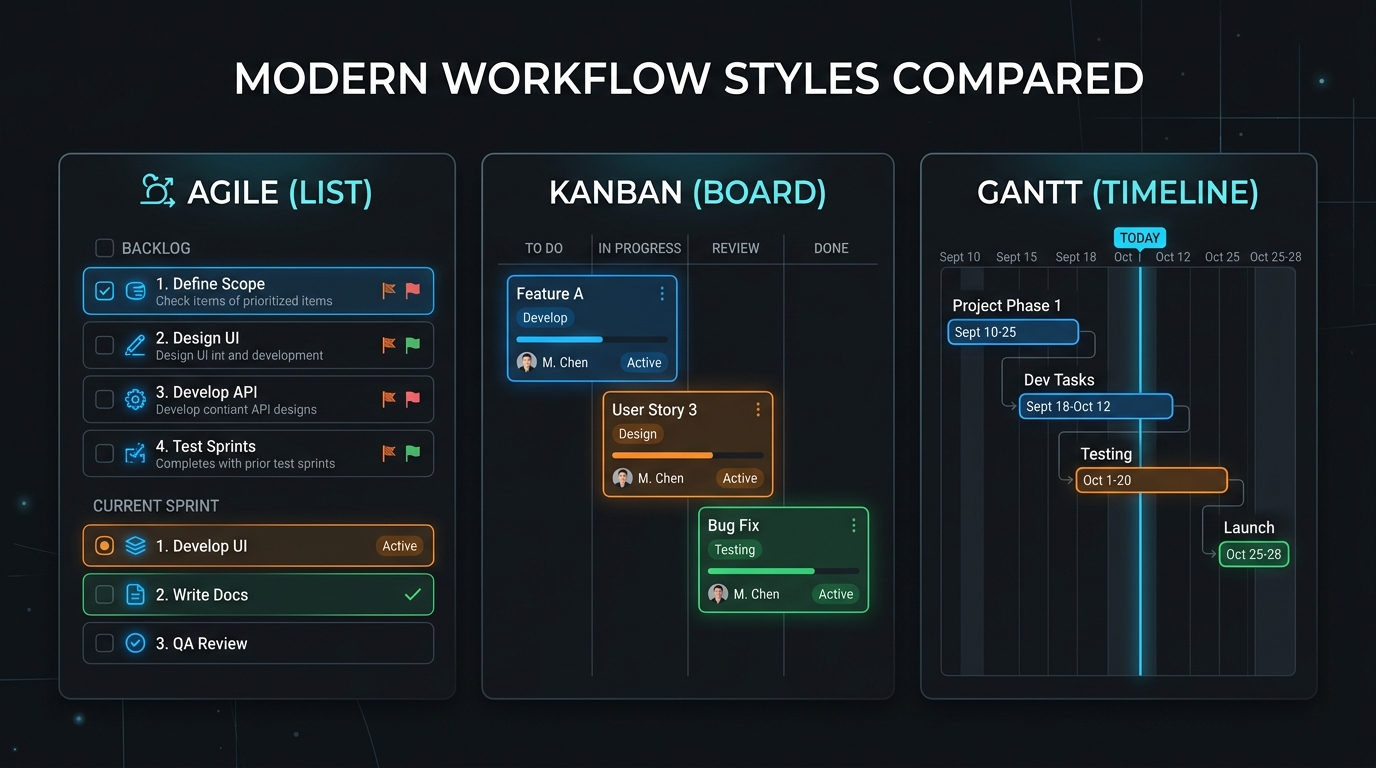
ClickUp vs Trello vs Asana: Which Is Best for Freelancers?
Choosing between ClickUp, Trello, and Asana for solo client work? We compare pricing traps, free tier limits, mobile apps, and freelancer suitability in 2026.

Best Free Project Management Software for Freelancers in 2026
Discover the best free project management software for freelancers in 2026. Compare ClickUp, Asana, Trello, Todoist, Freedcamp, and Notion with verified limits.
Linear Review: The Zero-Friction Project Tracker for Solo Operators
Why Linear is the ultimate project management tool for freelance software engineers and boutique studios. Real-world testing, client portals, and pricing.