Best Website Analytics Tools for Freelancers in 2026
Client websites need analytics, but not all analytics tools are equal in terms of privacy, setup complexity, and client reporting suitability. Here is how the leading options compare for freelancers managing multiple sites.

TABLE OF CONTENTS (24 SECTIONS)TAP TO EXPAND
- Analytics as a Freelance Responsibility
- Quick Comparison: Website Analytics Tools for Freelancers
- 1. Google Analytics 4: Still Necessary, Rarely Ideal
- Why Freelancers Still Recommend It
- Why Freelancers Increasingly Avoid It as a Default
- 2. Plausible Analytics: The Best Default for Freelance Client Sites
- Why Plausible Is Ideal for Freelancers
- Limitations
- 3. Matomo: The Self-Hosted Privacy Powerhouse
- Why Technical Freelancers Use Matomo
- The Trade-off
- 4. Fathom Analytics: The Simplest Cookieless Alternative
- Where Fathom Differentiates
- Best Use Case
- 5. Microsoft Clarity: Free Heatmaps and Session Recordings
- Why Clarity Is Useful for Freelancers
- Limitations and Privacy Considerations
- How to Choose Analytics Tools for Client Sites
- Setting Up Client Analytics Reporting
- Frequently Asked Questions
- Which analytics tool is easiest to install on a WordPress site?
- Can I charge clients separately for analytics setup and reporting?
- What data does Plausible collect versus Google Analytics?
- Should I recommend analytics to every client I build a website for?
Analytics as a Freelance Responsibility
When you build or maintain a client website, you are often implicitly responsible for answering a critical question six weeks after launch: Is the site working?
“Working” means different things to different clients—more contact form submissions, better bounce rates, more e-commerce conversions, or simply “how many people visited last month?” Without analytics, you cannot answer any of these questions, and you leave your client without the data needed to justify ongoing investment in their web presence.
But choosing the wrong analytics tool creates its own problems:
- Google Analytics 4 requires a cookie consent banner in most EU jurisdictions, adds legal complexity to client sites, and has a notoriously steep learning curve even for experienced developers.
- Heavyweight tracking scripts reduce page speed and can damage Core Web Vitals scores, hurting SEO performance for the client sites you just optimized.
- Complex dashboards confuse non-technical clients who need simple monthly traffic reports, not a data scientist’s interface.
This guide evaluates the five most relevant analytics tools for freelancers managing client websites in 2026, focusing on the practical questions that matter: setup complexity, privacy, client reporting, and real-world suitability.
Quick Comparison: Website Analytics Tools for Freelancers
| Tool | Pricing | Cookie Consent Required | Script Weight | Client-Facing Dashboard | Heatmaps | Best For |
|---|---|---|---|---|---|---|
| Google Analytics 4 | Free | Yes (in EU/UK) | ~70KB+ | No (share reports manually) | No | Clients who specifically require GA |
| Plausible Analytics | From ~$9/mo (check site) | No | ~1KB | Yes (shareable link) | No | Default recommendation for new projects |
| Matomo | Free (self-hosted) or cloud | Configurable | ~23KB | Yes (configurable access) | Yes (paid) | Technical freelancers managing many sites |
| Fathom Analytics | From ~$14/mo (check site) | No | ~2KB | Yes (shareable link) | No | Simple, reliable cookieless analytics |
| Microsoft Clarity | Free | Configurable | ~20KB | No (share invite) | Yes (heatmaps + sessions) | Free session recording & heatmaps |
Pricing reflects publicly available information at the time of writing. Verify current pricing on each vendor’s website.
1. Google Analytics 4: Still Necessary, Rarely Ideal
Google Analytics 4 (GA4) is the world’s most widely deployed web analytics platform. It is free and integrates deeply with Google Ads, Google Search Console, and Google Tag Manager.
Why Freelancers Still Recommend It
- Client familiarity: Many clients already have a Google Analytics account and specifically request it. For these clients, it is the correct tool regardless of its complexity.
- Free tier: GA4 is free for standard website analytics with generous data limits.
- Google Ads integration: If a client runs Google Ads campaigns, GA4 is essentially mandatory for conversion tracking and campaign attribution.
- Search Console connection: Linking GA4 with Google Search Console provides combined organic search and behavior data in a single environment.
Why Freelancers Increasingly Avoid It as a Default
- Cookie consent complexity: GA4 uses cookies for cross-session user tracking, which in most EU/EEA and UK implementations requires a GDPR-compliant cookie consent mechanism. Installing a cookie consent banner adds legal responsibility to your project scope.
- Steep learning curve: GA4’s event-based data model replaced the previous Universal Analytics session model. Many non-technical clients find the interface genuinely confusing.
- No native client-shareable dashboard: Sharing analytics data with a client requires creating a Looker Studio report or adding them as users, adding friction to routine reporting.
- Privacy concerns: Some clients in privacy-sensitive industries (healthcare, legal, financial services) are specifically moving away from Google Analytics for compliance reasons.
Bottom line: GA4 remains necessary when clients require it or when Google Ads attribution is part of the project scope. For new greenfield client projects where the choice is yours, a privacy-first alternative is usually more appropriate.
2. Plausible Analytics: The Best Default for Freelance Client Sites
Plausible Analytics is a privacy-first, cookieless analytics platform built in Europe and designed specifically to be an ethical, lightweight alternative to Google Analytics.
Why Plausible Is Ideal for Freelancers
- No cookie consent banner required: Plausible does not use cookies or cross-site tracking. In most implementations, no GDPR consent mechanism is needed (though always verify with a legal advisor for your specific situation). This dramatically simplifies your project deliverable.
- Shareable read-only dashboards: With one click, you can generate a public or password-protected link to the analytics dashboard for your client. The client sees exactly the same interface you see—no accounts to create, no permission levels to configure.
- 1KB script: Plausible’s tracking script is approximately 1KB, compared to 70KB+ for Google Analytics. This improves client site performance and Core Web Vitals.
- Simple, clean interface: Traffic overview, top pages, traffic sources, countries, devices, and custom events are visible on a single clean dashboard. Non-technical clients immediately understand it without training.
- Goal and event tracking: Custom events can be tracked without complex tag manager configurations for most use cases.
- EU hosting: Plausible stores data on EU servers, which simplifies GDPR data processing documentation.
Limitations
Plausible provides less granular attribution data than GA4. It does not provide session replay, heatmaps, or the deep conversion funnel modeling available in Google Analytics. For clients with complex e-commerce attribution requirements, GA4 may still be necessary.
Pricing: Check Plausible’s official website for current pricing tiers, which are structured by monthly pageviews.
3. Matomo: The Self-Hosted Privacy Powerhouse
Matomo (formerly Piwik) is an open-source analytics platform that can be either self-hosted on your own server or used as a cloud SaaS. It is the only major analytics platform that provides feature parity with Google Analytics while giving you complete ownership and control of your data.
Why Technical Freelancers Use Matomo
- Full data ownership: When self-hosted, analytics data never leaves your own server. This satisfies the most stringent client data privacy contracts.
- Feature depth: Matomo provides goals, funnels, custom segments, A/B testing, heatmaps (paid add-on), session recordings (paid add-on), and e-commerce tracking comparable to Google Analytics.
- Multi-site management: One self-hosted Matomo instance can track unlimited websites, making it cost-effective for freelancers managing many client sites on a VPS.
- Configurable consent: Matomo supports both cookie-based tracking (with consent) and cookieless tracking modes, giving you flexibility for different client privacy requirements.
The Trade-off
Self-hosting Matomo requires server administration: installation, updates, database maintenance, and backups. This is appropriate for technical freelancers managing their own hosting infrastructure but adds overhead that non-developer consultants may not want. The Matomo Cloud version eliminates server maintenance but carries a subscription cost. Check Matomo’s website for current cloud pricing.
4. Fathom Analytics: The Simplest Cookieless Alternative
Fathom Analytics shares a similar philosophy with Plausible—cookieless, privacy-first, no consent banner—but emphasizes extreme simplicity and reliability above feature depth.
Where Fathom Differentiates
- Engineered for uptime: Fathom’s infrastructure is built with a strong reliability focus and does not block script-blockers in the way some analytics tools do, which can result in more accurate traffic counts than tools blocked by common ad-blockers.
- EU isolation: Fathom provides a European isolation option that routes all EU visitor data exclusively through EU infrastructure.
- Simple event tracking: Custom event tracking can be added to any element with a CSS class or data attribute without writing JavaScript.
- Straightforward pricing: Fathom charges per monthly pageview with no per-site fees, making it predictable for freelancers adding it to multiple client sites.
Pricing: Check Fathom’s website for current plan pricing.
Best Use Case
Fathom is ideal for freelancers who want a Plausible alternative with a slightly different pricing structure or who prefer its specific privacy architecture. The core product experience is very similar to Plausible for most freelancer use cases.
5. Microsoft Clarity: Free Heatmaps and Session Recordings
Microsoft Clarity occupies a unique position: it is completely free, provides heatmaps and session recordings (features not available in Plausible or Fathom), and is developed and maintained by Microsoft.
Why Clarity Is Useful for Freelancers
- Free heatmaps: Clarity provides click heatmaps, scroll maps, and rage-click detection at no cost. These visual reports are immediately compelling to non-technical clients because they show where users click rather than abstract pageview numbers.
- Session recordings: Watch anonymized recordings of real user sessions on your client’s website. Identifying where users drop off, encounter errors, or become confused is invaluable for UX optimization recommendations.
- JavaScript error detection: Clarity flags JavaScript errors occurring during user sessions, helping you identify broken functionality proactively.
- Integration with GA4: Clarity integrates with Google Analytics 4, linking session recordings to specific GA4 user segments.
Limitations and Privacy Considerations
- Clarity’s session recording technology collects behavioral data that some privacy-sensitive clients will be uncomfortable with, even though personal data is masked by default.
- Cookie consent configuration depends on your specific implementation and jurisdiction. Review Clarity’s privacy documentation carefully for client sites with EU audiences.
- Clarity does not replace a traditional analytics platform—it supplements it. You would typically run Clarity alongside Plausible or GA4.
How to Choose Analytics Tools for Client Sites
The decision framework is straightforward:
-
Does the client already have Google Analytics? If yes, add them as a property in GA4 and set it up correctly. If they do not—and the site is new—Plausible is your best default.
-
Does the client run Google Ads? GA4 is required for conversion tracking. Install Plausible for clean traffic reporting and GA4 for ads attribution.
-
Does the client’s audience include significant EU/EEA traffic? Prioritize cookieless tools (Plausible, Fathom) to avoid cookie consent complexity. Your freelance hosting stack should already be configured for GDPR-friendly deployments.
-
Do you need heatmaps and session recordings for UX analysis? Add Microsoft Clarity (free) as a supplement to your primary analytics tool.
-
Do you manage many client sites technically? A self-hosted Matomo instance can handle all of them under one dashboard, potentially at lower total cost than per-site subscriptions.
Setting Up Client Analytics Reporting
Regardless of the tool you choose, establishing a monthly reporting workflow is essential for demonstrating ongoing value to clients:
- Plausible/Fathom: Share a permanent read-only link to the dashboard. The client can check it any time without your involvement.
- Google Analytics: Create a Looker Studio report template with the key metrics your client cares about (sessions, top pages, conversions) and share an auto-updating link.
- Matomo: Create a user account for the client with read-only access to their specific website.
- Microsoft Clarity: Invite the client as a team member to their specific Clarity project.
Connecting analytics reporting to your broader client management workflow—such as your CRM—turns routine data into an ongoing service touchpoint that reinforces your value.
Frequently Asked Questions
Which analytics tool is easiest to install on a WordPress site?
All five tools have WordPress plugins or straightforward script injection methods. Plausible, Fathom, and Clarity all have official WordPress plugins. GA4 is best installed via Google Tag Manager for maintainability.
Can I charge clients separately for analytics setup and reporting?
Yes. Analytics setup, goal configuration, and monthly reporting are legitimate line items in a retainer or project scope. Clients frequently do not realize the complexity involved in proper analytics implementation—clear scoping helps justify the cost.
What data does Plausible collect versus Google Analytics?
Plausible collects aggregate traffic data—pageviews, sessions, referral sources, countries, devices, and browser types—without individual user tracking, persistent cookies, or cross-site data sharing. Google Analytics 4 collects behavioral event data tied to pseudo-anonymous user IDs, enabling individual user journey analysis and remarketing audience building.
Should I recommend analytics to every client I build a website for?
Yes. Every client website should have some form of analytics from day one. Even basic traffic data helps clients make informed decisions about content, marketing investment, and site improvements. Plausible’s free trial and low entry cost make the recommendation straightforward.
WHAT WE APPRECIATED (PROS)
- ✓Privacy-first tools eliminate GDPR cookie consent requirements entirely
- ✓Lightweight analytics scripts improve client site performance and Core Web Vitals
- ✓Shareable read-only dashboards allow clients to self-serve traffic reports
- ✓Simple event tracking replaces complex Google Analytics configuration for most use cases
DRAWBACKS & FRICTION (CONS)
- ✕Privacy-first tools provide less granular attribution data than Google Analytics
- ✕Google Analytics 4 has a steep learning curve and complex event model
- ✕Self-hosting Matomo requires server maintenance similar to a regular application deployment
Best Website Analytics Tools for Freelancers in 2026 Rating Breakdown
Freelance web developers, digital marketers, and consultants who install and manage analytics for client websites and their own portfolio or business sites.
Plausible Analytics is our top recommendation for freelancers managing client websites. It is GDPR-compliant without a cookie banner, provides clean shareable dashboards for client reporting, and loads in under 1KB. Google Analytics 4 remains necessary when clients specifically require it, but Plausible should be your default recommendation for new client projects.
EVALUATION METRICS
Speed of setup, friction in daily operations, and intuitive mental model for non-enterprise users.
Utility of capabilities without unnecessary enterprise bloat that slows down solo execution.
Return on investment for a single seat, clear billing tiers, and fair feature gates.
Uptime track record, offline resilience, and friction-free portable data export.
Specific suitability for client collaboration, single-seat economics, and lean overhead.
Frequently Asked Questions
Do I need to add a cookie consent banner if I install Google Analytics on a client site?+
In most EU jurisdictions, yes. Google Analytics 4 uses cookies for cross-session tracking, which typically triggers GDPR consent requirements. Privacy-first tools like Plausible and Fathom use cookieless tracking methods that do not require consent banners in most cases, though you should verify current legal requirements with a GDPR advisor for your specific client situation.
Can I install different analytics tools on different client sites?+
Yes. Most freelancers maintain a preferred default (such as Plausible) and switch to Google Analytics for clients who specifically request it. Using a tool like Matomo allows you to run a single self-hosted instance and add multiple websites to one dashboard, which can be cost-effective if you manage many client sites.
What is the performance impact of adding analytics to a client site?+
Google Analytics 4 and Microsoft Clarity scripts are heavier than privacy-first alternatives. Plausible's tracking script is approximately 1KB. Fathom is similarly lightweight. Heavy analytics scripts can negatively affect Core Web Vitals scores, which directly impact SEO rankings. For clients where site speed is a priority, lightweight analytics tools are preferable.

Freelance Tool Guide Team
The editorial team behind Freelance Tool Guide, independently researching and testing software for freelancers and small teams.
More Independent Software Analyses

How to Set Up a Zero-Maintenance Freelance Hosting Stack
Stop rebooting client Linux servers on weekends. Learn how freelance web developers use Vercel, Netlify, and Cloudflare to build zero-maintenance hosting stacks.
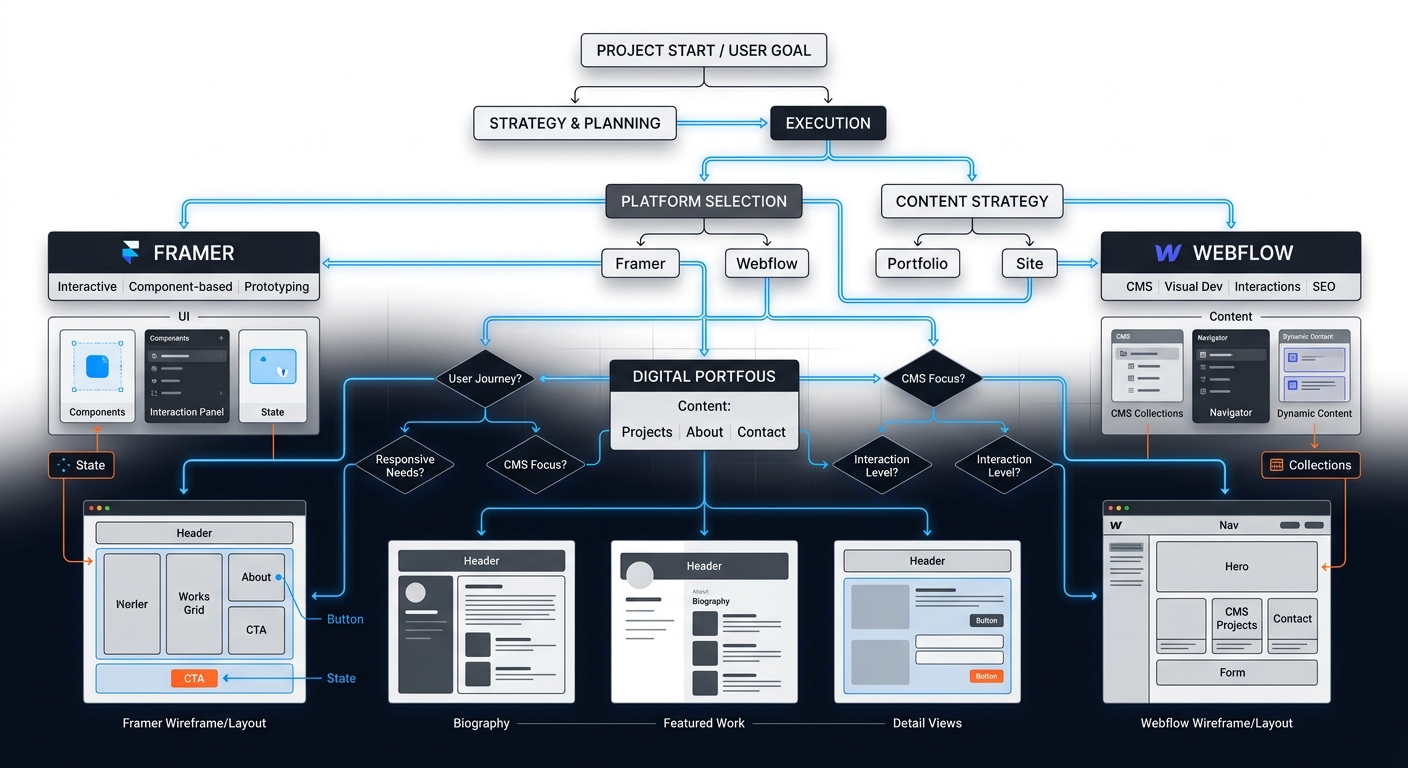
Freelance Portfolio Platforms: A Decision Framework for Designers and Devs
Stop rebuilding your portfolio every six months. Use this decision framework to choose between Framer, Webflow, and Squarespace for your freelance business in 2026.
Best Cloud Storage for Freelancers: Google Drive vs Dropbox vs OneDrive
Which cloud storage provider is best for freelance asset storage, delta sync speeds, and painless client file sharing? We compare Google Drive, Dropbox, and OneDrive.